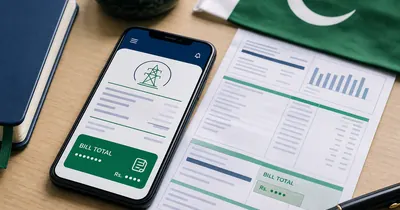
Electricity bill not received what to do? Start with the duplicate bill from the official system. The paper copy may be late. Your billing account may already show the current record online.
A bill can appear in the billing system before the printed copy reaches your home. Sometimes the paper gets misplaced. Sometimes it goes to the wrong home. It is annoying. It is not a dead end.
You do not need to sit around waiting for the envelope. Start with the reference number from any old bill. Open the current bill online through the official company route and review every detail before payment. Check the name, amount and due date. Then pay through a trusted method.
Use the duplicate bill checker for the fastest start. Select your electricity company. Enter your number. The official bill opens in a new tab.
Electricity bill not received? What to do: check duplicate bill online
Did not receive your paper electricity bill? Check the duplicate online. Use the reference number printed on any old bill. Many PITC portals also accept a customer ID. Save or print the bill. Pay before the due date. Nothing appears? Contact your DISCO customer service center or subdivision office.
The online record shows the current billing amount and due date. The bill is tied to the connection. It is not tied to the paper at your door. A valid reference number can open the current record online.
Pakistani users also search "bijli ka bill nahi mila" for this problem. The answer is usually the same: open the current duplicate bill first.
So do the lookup now. Pay only after the details match.
Why your paper bill may not arrive
A missing paper bill usually points to delivery trouble. It rarely means your connection has vanished from the billing system.
The paper copy is late
The billing system can create the bill before the paper delivery. The paper copy can still arrive later. A late paper bill feels worst near the due date.
There is no need to guess. Check the bill online. Keep the current amount and due date in front of you.
The new bill has not been issued yet
A newer duplicate can temporarily display the previous month during the normal billing processing window. The latest bill needs posting time. Meter reading and billing entry must finish first.
Check again later. Look at the issue date on the loaded bill. An old bill should never be paid a second time.
It is your first bill on a new connection
A new connection normally needs its first billing entry before any public duplicate copy can appear online. The first bill may not show immediately.
Keep the new-connection proof ready. Contact official customer service after a first-bill delay.
Your delivery details may need review
One late bill can happen. Repeated missing paper is a different story.
Use the online duplicate for the current month. Then ask your local office to review the delivery route and address.
You selected the wrong company
Every area has its own electricity company. HAZECO and PESCO confuse many Hazara users. K-Electric follows a separate account-number system outside the public DISCO group.
The same basic route covers LESCO, IESCO, FESCO, GEPCO, MEPCO, PESCO, HESCO, SEPCO, QESCO, TESCO and HAZECO. Karachi needs the KE route.
Match the company name from an old bill. City memory alone can mislead you.
What you need to get the duplicate bill
Start with a billing identifier. The reference number on an old bill is the normal first choice. A supported portal can also process the customer ID.
| Item | Best use | Good option |
|---|---|---|
| Reference number | Open the duplicate bill online | Use it first |
| Customer ID | Alternate official lookup | Use it where the portal supports it |
| Payment receipt | Recover the old identifier | Check old bank or wallet receipts |
| Company name | Pick the correct bill portal | Match the old bill header |
| Old account photo | Confirm name and address | Ask someone at the property for a photo |
Do not mix the number types printed on different parts of an old bill. A meter serial number identifies the device. A reference number identifies the billing account.
Many public DISCO portals let consumers use a customer ID instead of the longer reference number. PITC pages show separate Reference No and Customer ID choices. The official FESCO web bill page shows the same pattern.
Digit length can vary by company. Do not force a 10-digit customer ID. Copy every digit from the old bill instead of relying on memory.
How to check your duplicate bill online
Use this process on your phone. It takes less time than a needless office trip.
- Open the BijleeBill bill checker.
- Select your electricity company.
- Type the reference number from an old bill.
- Open the official duplicate bill in the next tab.
- Verify the bill month, name and address.
- Save the bill as a PDF or print it.
Enter digits only. Do not add spaces. Do not add the trailing U or R letter. Follow the official form prompt exactly.
An old bill photo gives you the exact digits without a fresh typing guess. A wrong company selection often makes the official portal return an empty result. A wrong digit can do the same. Recheck both before blaming the portal.
The bill should show the meter reading date, issue date, due date, units and payable amounts. Review every line before payment.
Readers from these areas can also use the LESCO bill guide or the IESCO bill guide.
Choose the right path for your situation
Read your situation first. The right next step depends on the number already in your hand.
| Your situation | Best first action | Next step |
|---|---|---|
| You have an old bill | Use its reference number | Use the customer ID after a failed lookup |
| You have a payment receipt | Recover the identifier | Check the company and bill month |
| You know the customer ID | Use the official customer ID option | Contact support after a failed result |
| You have no printed copy | Check wallet or bank history | Ask for a bill photo |
| This is your first bill | Check connection documents | Contact the official customer service center |
| The bill misses every month | Get the online duplicate | Report the repeated delivery issue |
| You live in Karachi | Use the official KE route | Do not use the PITC DISCO form |
| You do not know the company | Match the old bill header or area list | Ask the property owner |
| The bill does not load | Recheck the digits | Try the official portal directly |
| The loaded bill looks old | Check the bill month | Wait for the new posting or verify with support |
The quickest path is simple: old bill, reference number, correct company, official duplicate page.
Cannot find your reference number?
Don't panic. A random CNIC-search page usually creates more trouble.
Check an old paper bill
The consumer block on an old bill normally contains the full reference number near your name and address. It is often the longest billing number on the page.
Need a closer look? Read where the reference number is printed before copying it.
Take a clear photo. Keep it somewhere easy to find later (a phone gallery works fine).
Check a payment receipt
Bank and wallet receipts often carry the account details. Look near the company name or consumer details.
Do not match the payment amount alone. Two different connections can show very similar bill amounts.
Check wallet or bank payment history
Open the electricity payment history in your app. Check the saved company and entered identifier. The number often points you back to the connection even after months have passed.
Use the same habit every month: open the bill, verify the name, pay.
Ask someone at the property
A family member can send a quick photo. A shopkeeper can help at a rented shop too.
Verify the name and address. One mistyped payment can land on the wrong connection.
Contact official customer service
Use the official company route. Keep your CNIC, address and connection documents ready. The agent can use those details during verification.
Do not expect a public CNIC lookup. Public bill search normally needs the billing identifier.
Bill not found online? Try these checks
A no-result message is a lookup problem first. Official support comes later, after the easy typing and company checks.
Recheck every digit
One wrong digit can hide the entire billing record from a correct connection. Copy the number slowly. Check four digits at a time from the old bill or photo.
Do not include spaces. Do not include extra letters. Follow the portal prompt exactly as printed on your old bill.
Check the company name
A LESCO number will not load under MEPCO. A HAZECO account should not go through PESCO after the service transfer.
Match the logo and full company name from your old bill.
Check the selected option
Use the Reference No option for a reference number. Use Customer ID only for the customer identifier.
A correct number in the wrong field can fail.
Try the official portal directly
Open the official company or PITC page directly. Compare its result with the checker route.
The LESCO customer bill page and the PITC company pages are useful direct options.
Consider a first-bill delay
A first bill may need one full billing cycle before its duplicate copy becomes visible online. Connection approval alone does not create an old bill.
Use your official application records. Contact customer service for the posting status.
Keep proof of the error
Take a screenshot for a real portal error. Note the date, portal name and selected company.
Do not send the screenshot to strangers.
One more habit helps. Verify every support channel on the official company site. Contact routes can change.
Paper bill missing every month?
Use the online duplicate for the current bill. The local office can fix the repeated delivery problem separately.
The official IESCO FAQ gives a useful pattern. Repeated missing bills belong with the subdivision office. It also says duplicate bills are available at customer service centers. Read the original note on the IESCO FAQ page.
Use this action plan:
- Get the current duplicate bill online.
- Pay it on time after verification.
- Write down the months with missing paper delivery.
- Keep the old reference number ready.
- Contact your subdivision office or customer service center.
- Ask for a delivery-address review.
- Note the date, complaint reference and officer name.
- Follow up on a continuing issue.
Do not demand a refund before officials confirm an actual billing error. Missing paper delivery does not automatically cancel a lawful surcharge without a separate billing error or official instruction. Keep proof and ask the office for the correct remedy.
Keep using the online check during a repeat issue. The current amount is already visible. A five-minute lookup still beats a wasted office trip.
K-Electric bill not received
The KE route uses a separate 13-digit account number printed on an older Karachi electricity bill. Karachi customers should not use the national PITC company list.
K-Electric uses a 13-digit account number. The official K-Electric know-your-bill page explains digital bill access. It covers the KE website, KE Live App and official WhatsApp service.
Use this order:
- Find the 13-digit account number on an old KE bill.
- Open the official KE bill service.
- Enter the account number.
- Verify the bill month and amount.
- Download or view the duplicate.
- Pay through an official or trusted payment channel.
Do not use a 14-digit PITC reference field for KE. The systems are separate. Use the K-Electric checker for the correct route.
The safety habits stay the same. Verify the name, bill month and amount. Avoid fake payment pages.
Print, save and pay the duplicate bill
A duplicate bill is useful only after its details match your connection.
Check six things first:
- Company name
- Consumer name
- Address
- Reference number
- Bill month
- Payable amount within the due date
Use Save as PDF on your phone or computer. Print it for a physical copy. Keep a digital copy for records.
A later due date can alter the payable amount on a fresh duplicate copy. Review it too. The amount can change after the deadline. Match the current bill month before payment.
Use a bank app, wallet app, ATM or approved payment channel. The online payment guide shows the safe payment order.
A bill checker should never ask for an OTP just to show the bill. A lookup is not a card-payment step.
Can you pay without the paper bill?
Yes. Open the current bill online first. Match the consumer name, address and payable amount shown on the current bill. Then pay through your bank or wallet.
Keep the receipt screenshot. It is your proof during a posting delay.
Do not pay from a forwarded screenshot. Open the bill through the official route yourself. Check the payable amount again.
The bill status guide can help confirm the amount and due date before payment.
Avoid late fees next month
A little preparation saves the monthly panic. These habits work for most households and shops.
Save the reference number
Store the number in your phone contacts with the company name next to it. Add any extra note you need. Send a copy to one trusted family member.
Photograph your latest bill
A clear photo of the bill keeps the reference number, customer ID, tariff and connection details in one safe place.
Save payment receipts
Keep one receipt screenshot every month. Name it clearly in your files.
Check the billing history
A paid bill usually leaves a receipt trail. Old payment history can recover the missing identifier.
Report repeat delivery issues early
Do not wait until the due date. Contact the local customer service center before the deadline pressure starts. Save the complaint reference somewhere visible.
Expert tips
These habits look small. They save real time later.
Keep one old bill forever
Do not throw away the latest paid bill. Its reference number, consumer ID and tariff details can rescue next month's lookup.
Do not guess the company from memory
Match the logo and full company name from the old bill. Service areas can change.
Type numbers slowly
Long numbers invite typos. Pause after every four digits and compare them against the image. One extra check beats a failed search.
Never pay a guessed amount
A bill amount can move after adjustments or old arrears. Fetch the current bill every time.
Treat OTP demands as a red flag
A simple bill check does not need OTP approval. Leave any page demanding one.
Verify the name before every payment
A typo can open another person's connection. The consumer name and address are your safety check.
Common mistakes
Using the meter number
A meter number identifies the device. It does not always open the billing account. Use the reference number first.
Searching by CNIC on a public page
Public bill portals normally do not search by CNIC. Use the billing identifier first.
Using a customer ID in the reference field
The two identifiers can have different lengths. Put each number in the right portal field.
Paying an old duplicate bill
Check the bill month before payment. An old PDF is not a new bill.
Following the PITC flow for K-Electric
KE uses its own account-number system. Public DISCO instructions do not fit a KE bill.
Waiting for the paper copy near the due date
The online duplicate can prevent a late payment. The billing system may already show the current bill. Do the lookup now.
Safety warnings
A bill checker should never ask for an ATM PIN.
A bill lookup should not require an OTP.
Do not share bank card details on an unknown checker page.
Do not pay through a link sent by an unknown number.
Use the official bill portal or a trusted company-direct route.
Verify the site domain before using any payment service.
Keep your payment receipt. It is your best proof during a delayed account update.
Final checklist
- Find the reference number from an old bill.
- Identify the correct electricity company.
- Open the current duplicate bill.
- Verify the name and address.
- Check the bill month and due date.
- Save the bill as a PDF.
- Pay through a trusted channel.
- Keep the payment receipt.
- Report repeated missing delivery to the local office.
Frequently asked questions
I have not received my electricity bill. What should I do first?
Open the duplicate bill online through the official billing route for your correct company before making any payment. Use the reference number from an old bill. Verify the name, amount and due date. Then pay through a trusted bank or wallet channel from your own account.
Is an online duplicate electricity bill valid for payment?
A duplicate opened from the official bill page works as a billing copy. Verify the name, address, amount and bill month before payment. Keep the copy for your records.
Can I pay without waiting for the paper bill?
Yes. Open the current bill online. Review the details. Pay from a bank, wallet, ATM or approved channel. Save the receipt.
What should I do without a reference number?
Check an old paper bill first. Then check a payment receipt or wallet history. You can ask someone at the property for a bill photo. Official customer service can help after verification.
What causes a paper bill to miss every month?
Use online duplicates for payment. Then contact the subdivision office or customer service center. Ask for a delivery-address review. Keep a written complaint record.
Does this guide work for K-Electric?
Not through PITC. K-Electric uses a separate official system and a 13-digit account number. Use the official KE website, KE Live App or official support channel.
Final step
A missing paper bill does not need to block your payment. Use the reference number printed on an older bill from the same connection before entering it on the official portal. Open the current duplicate online through the official company portal before the payment deadline. Verify the details. Then pay on time.
Repeated delivery trouble deserves a local-office complaint. Save the complaint reference and an old bill photo. The electricity bill not received what to do answer stays simple: check online, verify, pay and report every repeat case.