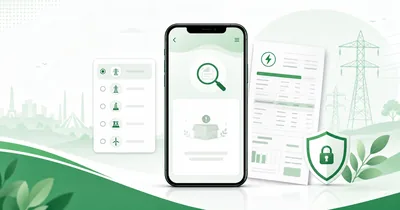
Electricity bill not found online? Take a breath first. A blank result usually starts with a small typing, field, company or posting issue. Annoying, yes. A dead end, usually not.
This check fits the main PITC electricity companies in Pakistan. Karachi follows the separate KE route.
Start with the newest old bill you can find. Copy the reference number in four-digit parts from a clear bill photo. Check the company name and the selected search field. One small mismatch can hide a real account.
A failed result is different from a missing paper bill. The paper copy may be late. The online record may also need time to show. This guide separates both problems and gives you a clean next step.
Use the duplicate bill checker for the first retry. Select the correct company. Enter digits only. A clean lookup opens the bill in a new tab.
Electricity bill not found online? Quick answer
The fix starts with the full reference number from the newest bill. Remove spaces and letters. Select the correct electricity company. Use Reference No for a reference number and Customer ID only for the customer identifier.
Still seeing no result? Use the latest printed bill instead of an old saved number. Then try the official company portal directly. A new billing entry may also need normal posting time.
The electricity bill not found online error rarely means your account has disappeared. It means no visible billing record matched your entry.
Understand what the error really means
The request behind a bill lookup is simple. Show the current bill for this connection.
The answer can be no for several ordinary reasons. The entered number may belong in a different field on the official portal. Your company choice may not match the connection. The newest record may not exist online yet.
A no-result screen is not a bill correction. It does not confirm payment, account closure or a required office visit. Treat it as a search problem first.
| What you see | Likely meaning | First action |
|---|---|---|
| The old month opens | The newest record is pending | Check the issue date and retry later |
| No record appears | Digit, field or company mismatch | Check the newest bill and selected option |
| The page stays blank | Temporary portal trouble | Use one direct official route |
| The KE account does not open | Wrong route or wrong account format | Use the 13-digit KE account route |
The monthly billing cycle still matters. The Power Division says DISCOs issue electricity bills monthly. It also says consumers can view, print or download bills through the official PITC bill portal.
Your connection record stays separate from this portal result. Do not repair the account before finding the actual cause.
Your first 5-minute recovery path
Use one calm route. Random retries waste time and hide the first mistake.
A checker is only a shortcut to the right bill page. It does not create the account record. The official portal still gives the final answer. Your task is simple. Send the right number to the right company field.
- Find the newest old bill you have.
- Check the company name and logo.
- Copy the reference number into a note.
- Count the digits slowly.
- Select the matching portal field.
- Open the checker again and submit the number.
Pause after a failed result. Compare the bill photo with the entered number before the next attempt.
A private browser window can rule out a stuck saved page. Use the same device for this test. Keep the number visible as you type each group of digits.
Don't change several things at once. Change one item only. One clean test tells you more than five guesses.
A fresh attempt should use the BijleeBill checker and the latest number from the bill photo.
Check the digits and the selected field
A reference number identifies the billing account. A customer ID may also work on a supported company portal. These two numbers belong in different fields. The reference field commonly expects 14 digits on PITC routes. Count every zero slowly before the final submission.
Need the original location? Find the correct reference number first before running a lookup.
Use this comparison before the next lookup.
| Identifier | Best use | Common failure | Safe check |
|---|---|---|---|
| Reference number | Main duplicate-bill lookup | A missing or wrong digit | Copy from the newest bill |
| Customer ID | Supported alternate lookup | Placed inside the reference field | Select the Customer ID option |
| Meter number | Device identification | Used as the account identity | Use a billing identifier first |
| CNIC | Official support verification | Used on a fake public lookup | Use only an official help route |
Look at the beginning and end of the number. Long digits can blur on a small phone screen.
Do not add a space. Do not add a suffix letter at the end. Type exactly what the selected portal field asks.
The official PITC company forms show separate Reference No and Customer ID choices for many companies. The official FESCO web bill page is a clear example.
A correct number in the wrong field can produce a blank result. A correct field with a bad company choice can do the same.
Need a broader field decision? Match the field before copying another number for lookup, payment or complaint use.
Check the company name from the latest old bill
Every electricity connection belongs to its own distribution company or KE account area. A LESCO number will not open under IESCO. A SEPCO connection will not open under HESCO.
Look at the company name printed on the latest bill. Do not pick the company from your street name alone.
The same style of lookup covers LESCO, IESCO, FESCO, GEPCO, MEPCO, PESCO, HESCO, SEPCO, QESCO, TESCO and HAZECO. K-Electric follows a separate route.
Company-selection errors are common after a move. A nearby feeder can also serve another company area. People miss this often.
The HAZECO page and the PESCO page are useful in the Hazara transfer case. Old area memory is not enough.
Use the official company code from the bill. Then retry the reference number under the matching company.
A revised reference number can stop an old lookup
An account correction, meter shift or service-area transfer can refresh the billing identifier. The newest printed bill carries the revised reference number for the account. The old screenshot may still look familiar. It may no longer open the current lookup.
Use the revised code from the latest bill. Copy it into a fresh note on your phone. A repeat mismatch needs official confirmation. Do not test older numbers at random.
Use the newest old bill, not a very old screenshot
A saved number can stop matching the present billing record after an account correction. A service-area transfer can create a similar problem.
An old screenshot may hide a newer company logo. It can preserve a very old identifier from an earlier account state. Your phone contacts can preserve a number for years.
The newest paper bill is the safest starting point. It shows the company name and identifier currently used for billing.
Ask a landlord, tenant or family member for a recent bill photo. Match the month and company before entering the digits again.
You can rebuild the record from three safer sources. Check the last paid-bill history on your personal phone today for this retry. Search the gallery, downloads folder and family chat next. Ask the person who manages the connection for the newest bill copy.
Each source may carry a partial clue. Compare more than one source before typing a fresh attempt. Do not post the full number in a public group.
A meter change or account correction may need local-office verification. Do not keep guessing the account after a repeated mismatch.
Keep one old bill photo from each billing year. It gives support a clear record of the account change.
This month's electricity bill may not show online yet
The portal can show the previous bill during a normal billing update. The newest record needs a completed billing entry first.
Check the bill month and issue date on any loaded copy. Do not assume the current month has failed at first glance.
Check the same lookup again after a short pause. Use the same verified number and company for one clean attempt. Random numbers only muddy the answer.
An old bill on screen is still an old bill. Do not pay the previous month a second time.
The bill status route can help you compare the month, amount and due date. Use the bill status guide before any payment.
A missing new entry is different from a missing paper delivery. The first article explains the paper-delivery problem in the electricity bill not received guide.
A new connection may not have a first billing record
A new meter on the wall already feels official to the consumer. The first billing entry may still wait behind it. Meter installation alone does not always create an immediate public bill.
Keep the application record, receipt and connection documents ready. Use the official new-connection contact or local office for status help.
Write the application number in a safe note. Keep the meter-installation date nearby. These details can help the office trace the first billing entry.
Your first reference number may not be ready at once. Do not type a neighbor's number as a shortcut.
Ask the local office to verify the connection stage and account activation. Keep the name, address and any reference number they confirm.
Use the first printed bill once it arrives. Save a clean photo of the full page.
A repeat failure after official account confirmation needs a complaint record. Keep the date, name and office contact.
The office visit works better with a small evidence pack. Carry the newest bill photo and the single portal screenshot you want to show. Keep the originals on your own phone after showing them.
The portal itself may be slow or unavailable
An official bill portal can slow down during heavy use. A page may stay blank. The request may time out too.
Compare your result with a direct official route. The official LESCO web bill page is a useful example for Lahore consumers.
Use a fresh browser session. Try one official page. Five copies of the same checker will not help.
Mobile data may reach a portal at a different speed than home Wi-Fi. Try one network change after a blank result. Keep the company and number unchanged during this test. One comparison is enough here.
A company portal can also reject an incomplete request. Recheck the field selection before a second attempt.
Take a screenshot after a real portal error. Note the date, selected company and the first few digits of your reference number.
Do not send full screenshots to strangers. An old bill image carries account details.
Do not share a full bill image on social media. Crop the name, address and account number before any discussion. Official support may need the original privately. Keep public posts limited to the error result.
Decide the cause before you contact support
A useful complaint starts with evidence. A lone screenshot rarely tells support enough.
Follow this evidence plan:
- Write the selected company name.
- Write the selected input type.
- Save the entered number in a note.
- Take one screenshot of the failed result.
- Note the date and time.
- Keep the newest old bill photo ready.
Record the complaint token and date after successful submission. Use the same token for tracking. Keep your newest bill photo nearby during follow-up. A clear record saves repeated explanation.
Try the customer ID only after the reference-number attempt fails. Try the reference number again after an obvious field mistake.
Contact official customer service after clean retries. The Power Division points consumers to their concerned sub-division, complaint center or customer service center for billing issues. Read its official note on the Power Division billing FAQ.
The official CCMS portal accepts complaint registration and complaint tracking. Its official page lists call 118 and SMS 8118 as complaint channels.
Do not rely on a copied SMS code from an unofficial page. Use the current CCMS website or your company page before you send a message.
A short complaint can include the company name, full reference number, selected input type and retry result. Add your contact number and a clear bill photo. Keep other documents ready for an official request.
Electricity bill not found online for K-Electric
Karachi uses the K-Electric route. A PITC company list cannot open a KE account lookup.
KE uses a separate 13-digit account number. Use the number from an older KE bill. Do not enter a 14-digit PITC reference number in a KE field.
The official K-Electric know-your-bill page describes KE digital bill access. It points users to the KE website, KE Live App and official WhatsApp service.
Use the K-Electric checker for the correct route. Then verify the bill month, account name and payable amount.
A KE lookup failure also needs one clean retry before support. Recheck all 13 digits. Try the official KE route directly in your browser. Keep the old bill photo close.
The general company table above does not fit every KE field. KE customers should use KE support after clean verification.
Can you pay with a missing bill?
Do not pay a guessed amount. A bill amount can move after a new reading, adjustment or previous balance.
Do not use an old month's duplicate for a new payment. The old copy belongs to a different bill month.
Do not send an amount to a personal account. A bill checker displays billing details. It should never receive your payment.
Use a bank app, wallet, ATM or approved payment channel after the current bill appears. The online payment guide covers the safe order.
Keep the payment receipt after a successful payment. The receipt proves the payment during an account update delay.
Review the consumer name before pressing pay. A correct-looking amount can still belong to another connection after a typing mistake.
A banking app and a bill portal can use the same account data at different refresh moments. Check the billed month beside the amount. Pause during an unexpected entry change. The safest payment stays attached to the current bill record.
A missing bill can prevent payment only for a short time. The correct route restores the current amount and due date.
Expert tips
Keep a screenshot of every monthly bill
Save a readable screenshot of every monthly electricity bill. Name the file with the bill month, issuing year and electricity company name. The image protects you after a lookup failure.
Save the reference number separately
Store the complete reference number inside your phone contacts with context. Add the company name to the note. Send the bill photo to one trusted family member.
Use the newest bill after any account change
A legal correction, meter change or transfer may change the visible account details. The newest printed bill matters most.
Copy long numbers in parts
Type four digits. Pause. Compare them with the photo. Repeat this pattern until the number ends.
Avoid a portal search in a hurry
Read the selected tab before submission. A small field mismatch can hide the right account.
Save proof after an official retry
Write down the retry result and date. This makes the customer-service conversation shorter.
Common mistakes
Entering a customer ID in a reference field
The two identifiers are not interchangeable. Use the matching portal option.
Trusting a number from a random message
Open the old bill image yourself. A forwarded number may belong to another connection.
Selecting the company from memory
Match the logo and full company name from the newest bill.
Paying the old month's amount
Review the bill month and current payable amount before payment.
Treating a portal error as a disconnection
A lookup failure does not prove a disconnected supply. It only proves the lookup did not return a record.
Mixing PITC and K-Electric steps
Karachi needs the KE account number and KE route.
Safety warnings
A bill checker should not ask for an ATM PIN.
A bill lookup should not need a bank OTP.
Do not share your full CNIC image on an unknown checker page.
Do not pay through a link sent by an unknown number.
Use an official company portal, official complaint route or trusted checker.
Verify a phone or SMS channel on the official company site before use.
Keep screenshots private. Share them only through official support routes.
Final checklist
- Use the newest old bill.
- Check the company name and logo.
- Copy the full reference number slowly.
- Remove spaces and extra letters.
- Select the correct input field.
- Try the customer ID in its correct field.
- Compare the result with the direct official portal.
- Check whether the newest bill is still pending.
- Keep screenshot proof for a real portal error.
- Use the official CCMS or company support route.
Frequently asked questions
Why is my electricity bill not found online?
The most common reasons are a wrong digit, wrong company, wrong field or missing new billing entry. Recheck each item with the newest old bill. Then use the direct official portal.
My online bill opened last month. Why is it not showing now?
The newest monthly record may not be posted yet. The saved number may also belong to an older account state. Use the latest printed bill, retry later and contact official support after a repeat failure.
Does a bill-not-found error mean my supply is disconnected?
No. It means the online lookup did not return a visible record. Check the digits and company first. A local office can verify the account status after clean retries.
Can I use a customer ID after a reference-number failure?
Yes, on a supported portal. Select the Customer ID option first. Do not place the customer ID in the Reference No field.
Can I pay my bill during a not-found error?
Do not pay a guessed amount. Wait for the current billing record through the official route or support. Then verify the bill month and amount from your own app.
Does this guide work for K-Electric?
Not through the PITC flow. K-Electric uses a separate 13-digit account number and official KE digital services. Karachi users should follow the KE route.
Final step
The electricity bill not found online fix starts with one clean source. Verify the number, field and company. Use only the newest old bill as your source. Check the direct official portal. Then contact official support with evidence.
A failed lookup is usually fixable. Do not guess the amount. Do not use the old month amount for payment. Restore the current bill record before any payment.