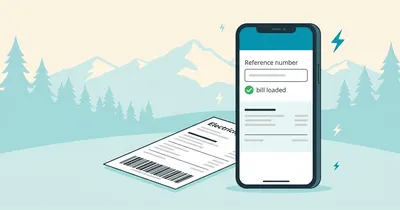
Your paper bill is missing. In Abbottabad and Haripur the post often lags behind the due date. The official record stays safe online.
A HAZECO duplicate bill is the official re-print of your current month's bill. Every figure stays exact, from the consumer name to the due date. The copy carries full validity at every payment counter too.
HAZECO covers the Hazara Division: Abbottabad, Haripur, Mansehra, Battagram, Torghar, Upper Kohistan, Lower Kohistan and Kolai Palas. HAZECO split from PESCO in 2023, so older saved papers may still say PESCO. One route serves all eight.
This guide walks through the whole task one plain step at a time. First, the number. Then the page, the download and the payment. The HAZECO fixes land further down, including the paid-but-unpaid scare.
In a hurry? Open our HAZECO checker and it hands you the official page. The current bill loads in a new tab.
How to get your HAZECO duplicate bill online
You can get your HAZECO duplicate bill free from the official PITC page. Enter the 14-digit reference number from any old bill. The 10-digit consumer number works too. Download the PDF or print the copy for the bank.
The official PITC system is the same route our hub opens. Older bills reached consumers through the company's own pages; the PITC route is the current door.
First, no account is needed. No fee applies. The lookup works on any phone at any hour too.
Next, read the five steps below for the full route. Each step ends with a small check.
What counts as a HAZECO duplicate bill
The name sounds formal. The document is fully official. Here is what the copy contains and what it is for.
It is an official re-print, not a new bill
The duplicate comes from the same billing record behind your paper bill. Indeed, nothing gets edited on the way. The figures arrive exactly as the system holds them.
That makes the copy as valid as the original for every normal use. So keep it as your working copy and pay from it.
The amount and due date stay the same
A duplicate shows the current month's payable amount and its due date. Overall, nothing extra is added for using the online copy.
But the amount can change once the due date passes. A late payment surcharge then appears on the next bill. That fee is avoidable.
Banks, wallets and post offices accept it
A printed duplicate goes through the same bank counters as any normal paper bill. The clerk reads the reference number and the amount from your copy, exactly as from the original.
Meanwhile, wallet apps only need the reference number. Then pay from the app without printing anything at all.
Four common moments for a copy
The bill never reached the house. Monsoon rain tore or faded the paper. A shop owner needs the copy for the tax file. Finally, a bank or landlord asked for proof of address.
For a shop or small unit, pull the copy on the spot. Match the meter reading date and the reference number first.
Industrial records live here too
Haripur's industrial estates keep monthly copies for documentation and bank files. Abbottabad's guesthouses and Mansehra's traders file copies the same way. Overall, one folder per meter keeps a multi-connection premises straight.
When the sub-division office still matters
A few tasks need a stamped or certified copy. Legal paperwork and some policy matters fall in this group of tasks. However, the plain PDF may not pass there.
Then visit your sub-division office with the CNIC and the reference number. Staff will then tell you the fee and the timing.
What you need before you start
The whole task needs one number from your old bill and one screen in your hand. In short, just one number.
| What you need | Where to find it | What it opens |
|---|---|---|
| 14-digit reference number | Ref No box top-left on any old HAZECO bill | The full bill on the official page |
| 10-digit consumer number | Same consumer block on the bill | The same bill through the second field |
| This month's due date | Printed beside the payable amount | A payment plan before the deadline |
| A phone or laptop | Already in your pocket | Check, save and print the copy |
First, pick one number from the list above. The 14-digit reference number is the main key for every lookup. Meanwhile, the consumer number works as a shorter backup.
Everything runs from a phone browser. The check itself needs no app. A clear photo of an old bill helps at the typing stage too.
Also keep the CNIC nearby only for office visits. The online page, however, never asks for it.
One more habit before you start. Note the due date printed on your last bill. The portal shows the new one. The old date then helps you spot a delayed cycle at a glance.
Check your HAZECO duplicate bill in five steps
The full lookup takes one phone and one number. In fact, most readers finish inside a minute. The official HAZECO bill page loads your bill from the live billing system. Every charge and the due date appear on one screen.
- Open the HAZECO checker on our site. It hands you the official PITC page in a new tab. Check the address bar reads bill.pitc.com.pk before typing anything.
- Type the 14-digit reference number. The number sits near your name and address on any old bill. No spaces and no dashes. So copy it from the paper rather than memory.
- Or use the 10-digit consumer number instead. The page keeps a second box for the shorter key. It likewise resolves the same account. Never force 14 digits into the 10-digit box.
- Open the latest bill. The consumer name, billing month, units, amount and due date load together. Finally, a twelve-month history table prints underneath.
- Save the PDF first, then print. The browser print command lists Save as PDF among its destinations. Print the full page later before a counter visit.
Each step took seconds in practice. Overall, the whole route is the same on a laptop and a phone browser.
Reference number or consumer number: pick the right one
HAZECO prints two identifiers on every bill. The portal accepts either one. However, confusing the two boxes is the most common silent failure. Here is the clean split. Our explainer on the reference number vs customer ID covers the pair in depth.
The 14-digit reference number
This is the main key. It sits in the Ref No box inside the consumer block. Every payment receipt stores it too. A wallet history therefore doubles as a backup source. The reference box on the portal wants exactly fourteen digits.
The 10-digit consumer number
The shorter key lives beside it in the same consumer block. The box wants exactly ten digits. It resolves the same account and the same bill.
The field-swap trap
Pasting fourteen digits into the ten-digit box fails without a helpful message. So does the reverse. Count the digits before submitting. An invalid result usually means a swapped box. Always check the box first and the digits second.
Lost the reference number too?
We have pulled numbers off wallet receipts for parents more than once. In fact, the trick beats every website shortcut. Here is the working search order.
Check payment receipts first
Every JazzCash, Easypaisa or bank payment stores the reference number on its receipt. First scroll the wallet history for the last electricity payment. The number is printed right there too. The guide to finding the reference number on any electricity bill shows the exact spot on old paper.
Ask whoever paid last
In most homes one person handles the bill. That person holds the receipt, the app history or the old paper copy. Often, one call ends the search.
Search old messages
Banks and wallets send payment confirmations by SMS or email. Search those for the bill month. The account number usually appears in the message too.
Visit the sub-division office
Bring the account holder's CNIC and the connection address. Staff locate the connection in their records and issue the number in minutes. This route always works, even with zero paperwork.
What never works: lookup by CNIC, name or meter number on the public page. Those fields simply do not exist there.
Business managers with several meters should search one connection at a time. In practice, receipts mix meters together. The office lists each connection under its own reference.
HAZECO bill not found or wrong bill: six fixes
In general, six causes cover almost every failed lookup. Two of them bite harder in HAZECO areas. Match your symptom to a case below before blaming your digits. Deeper cases live in our bill-not-found guide.
1. The bill is not posted yet
The portal shows a bill a few days after the meter is read. A missing paper copy tells the same story. The reading cycle for your area has probably not run yet. So wait two or three days and retry.
2. The bill says average
An average bill means one simple thing. The reader could not reach the meter. Floods, a locked premises or a shifted meter cause it. The bill then follows your usage pattern instead. Mountain circles in Battagram and Kohistan see this most after heavy winter weeks. So submit a photo of the meter reading at your sub-division office. The adjustment then lands on the next bill.
3. A detection bill appeared
A detection bill is not your duplicate. It is a separate charge raised after an inspection. So do not pay blindly. Ask for the written justification and check the findings against your meter. An unjustified charge deserves an appeal to the Revenue Officer.
4. The number is old
After a meter change or a connection transfer, the old number stops resolving. First use the number on the newest paper bill. With no paper bill left, the sub-division office confirms the active number.
5. The portal is busy
Near due dates the system slows or times out. Then retry in the early morning. One field acting up? The consumer number box often opens the same account.
6. The account itself is stuck
The same number failing on two devices over two days points at the system. Call 118 or file through the CCMS complaint portal. In short, a tracking number forces a written response.
Never get stuck again
One lost bill costs an hour of hunting. However, one small habit removes the problem for good.
Write both numbers in your phone notes the day the first bill arrives. Then photograph the consumer block on every bill and keep the photo in one album. That album becomes your recovery file, plain and simple.
Save every month's PDF in a single folder, named by billing month. Twelve months of copies help with tax records, export documentation and rent agreements. Likewise, shop owners file one folder per meter. Export units keep the bill beside their shipping papers.
The habit costs a minute a month. It pays back the first time the post fails.
Download and print a HAZECO duplicate bill that banks accept
Saving the PDF takes ten seconds and protects every later use. Open the bill and press the print command. Then choose Save as PDF as the destination in the print sheet. Name the file with the month, such as HAZECO-October-2026. A year of copies then stays sorted on its own.
Paper needs one rule. Print the full page instead of a selected area. The barcode strip at the bottom carries the scannable account data. Counters at HBL, UBL, MCB and other banks scan the strip instead of retyping the number. In short, a cropped print wastes a queue turn.
Phone printing works the same way. Open the browser menu, choose Share or Print, then pick Save as PDF in the print sheet. Overall, the barcode strip survives on A4 and on the default phone page size.
Wallets skip the paper entirely. JazzCash, Easypaisa and bank apps ask for the reference number and show the amount before payment. The saved PDF then acts as your cross-check and receipt file.
Pay with the duplicate copy
The duplicate carries the same amount and the same due date as the paper original. In fact, payment works identically everywhere.
Pay at a bank counter, a post office window or inside a banking app with the reference number. Wallets work the same way too. After payment the portal updates the payment history, usually within a day or two.
Here is the HAZECO quirk worth knowing. The paid mark can take 24 to 48 hours to appear. So do not panic on the same evening. File the payment receipt beside the PDF. Only a missing mark after two days deserves a call to 118.
Our guide to paying electricity bills online compares every channel, including the timing gaps between wallets and bank counters.
Keep the payment route clean
The bill portal never asks for a card number, an OTP or a wallet PIN. A page asking for those details is not the bill system. So close it.
Pay through known channels only: bank counters, official banking apps, JazzCash, Easypaisa or the post office. Then match the amount on screen with your saved PDF before confirming.
Never share your reference number with callers who promise bill discounts. The number alone opens your bill details. So treat it like a utility password.
Beat the due date every month
A late payment surcharge lands on the next bill once the due date passes. The fee is small but fully avoidable.
Check the portal a few days after the reading date. Set one recurring phone reminder two days before the printed due date. Shops and units with several meters should check all connections on the same day. Overall, heavy-load workshop owners gain the most from this rhythm.
A late-arriving bill deserves proof. Keep the envelope or the posting record. Then the office accepts either for a surcharge reversal request. Track payments with the status guide.
Five tips from handling these bills monthly
One: keep both numbers in your phone notes. Two: save every PDF with the month in its file name, one folder per year. Three: print full pages for bank counters, never cropped ones. Four: read the twelve-month history table on every bill. That too exposes wrong readings early. Five: file a meter photo each month beside the PDF. That photo then turns any average-bill dispute into a five-minute fix.
Five mistakes that cost time or money
Pasting fourteen digits into the ten-digit box fails quietly. The reverse swap fails just as quietly, with no error text at all. Likewise, cropped prints lose the barcode strip at counters. Paying from an old bill after the due date wastes money every single time. Lookalike domains spell HAZECO slightly differently to fool a quick search. A detection bill is not the monthly bill. Never pay one without asking why.
Safety warnings worth repeating
Use only bill.pitc.com.pk. Every other HAZECO bill site is an unofficial forwarder. Of course, some are fine. Some are not. Overall, none adds anything the official page lacks.
For complaints use 118 or the CCMS portal. HAZECO customer care centres at division and circle level take escalated cases. Unresolved cases then move up a clear ladder. Always collect a stamped receipt for every office submission you make. That single paper can reverse a wrongful arrears entry months later.
The one-minute checklist
- Reference number or consumer number written down
- Bill opens for the current month
- Amount and due date verified
- PDF saved with the month in the file name
- Full page printed with the barcode strip intact
- Payment made before the due date
- Receipt filed beside the PDF
Frequently asked questions
Can I get a HAZECO duplicate bill without a reference number?
Yes. The 10-digit consumer number opens the same account on the official page. Both numbers gone? A wallet receipt, the last payer or the sub-division office recovers the number quickly.
Is the HAZECO duplicate bill service free?
Yes. The official page charges nothing for viewing, saving or printing the copy. No login and no account are needed. Ignore any site asking for a fee.
Can I pay at a bank with a printed HAZECO duplicate bill?
Yes. Banks, ATMs and post offices accept the printed copy. Always print the full page with the barcode strip intact. The window scanner reads the strip directly. Wallets only need the reference number.
How do I download the bill as a PDF?
First open the bill and press the browser print command. Then choose Save as PDF as the destination. Name the file with the billing month so a year of copies stays organised.
Can I check a HAZECO bill by CNIC or name?
No. The public lookup accepts only the 14-digit reference number or the 10-digit consumer number. CNIC-based service exists only at the office with the account holder present.
I paid but my HAZECO bill still shows unpaid. Why?
The paid mark takes 24 to 48 hours to appear in the system. Keep your receipt and check again tomorrow. A missing mark after two days deserves a call to 118.
Is Hazara under HAZECO or PESCO now?
HAZECO. The Hazara Division split from PESCO in 2023 into its own company, serving Abbottabad, Haripur, Mansehra, Battagram, Torghar and the Kohistan districts.
Final step
A missing bill is a small problem with a quick fix. Open your HAZECO duplicate bill, check the month and amount, then save it. Pay before the due date, then keep the receipt.
The average-bill fix and the detection-bill appeal both belong to the sub-division office. A stamped receipt makes either one stick. Overall, this closes the loop for every HAZECO connection.