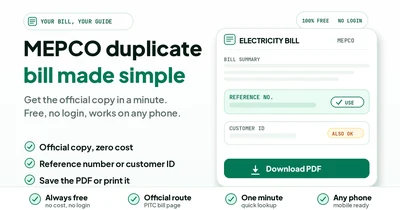
Your paper bill is missing. Here rain and post delays are common across South Punjab. Your billing record is still safe online.
A MEPCO duplicate bill is the official re-print of your current month's bill. The name, address, amount and due date stay exact. It carries full validity at every payment counter. Nothing about the consumer name, the address, the payable amount or the due date changes on the copy.
This guide walks through the whole task one plain step at a time. The number, the page, the download and the payment. The MEPCO fixes each get a full section further down.
In a hurry? Open our MEPCO checker and it hands you the official page. The current bill loads in a new tab.
How to get your MEPCO duplicate bill online
You can get your MEPCO duplicate bill free from the official PITC page. Enter the 14-digit reference number from any old bill. The 10-digit customer ID works too. Download the PDF or print the copy for the bank. Free and official.
The official MEPCO website points the same way. Its menu label is MEPCO Bill and it leads into the PITC bill system. The official MEPCO SMART app pulls the same copy.
No account is needed. No fee applies. The lookup works on any phone at any hour.
Read the six steps below for the full route. Each step ends with a small check.
What counts as a MEPCO duplicate bill
The name sounds formal. The document is fully official. Here is what the copy contains and what it is for.
It is an official re-print, not a new bill
The duplicate comes from the same billing record behind your paper bill. So nothing gets edited on the way. The figures arrive exactly as the system holds them.
That makes the copy as valid as the original for every normal use. Keep it as your working copy and pay from it.
The amount and due date stay the same
A duplicate shows the current month's payable amount and its due date. Nothing extra is added for using the online copy.
But the amount can change once the due date passes. A late payment surcharge then appears on the next bill. That fee is avoidable.
Banks, wallets and post offices accept it
A printed duplicate goes through the same bank counters as any normal paper bill. Banks, ATMs and post offices all accept it. A clerk reads the reference number and the amount. The clerk at any bank counter reads the same reference number printed on your original paper bill.
Wallet apps only need the reference number. Pay from the app without printing anything at all. Utility stores take it too.
Four common moments for a copy
The bill never reached the house. It arrived torn or badly faded by monsoon rain. A buyer wants the full property papers before the transfer. A bank asked for proof of address.
For a property handover, pull the current copy on the spot. Match the meter reading date and the reference number first.
When the sub-division office still matters
A few tasks need a stamped or certified copy. Legal paperwork and some policy matters fall in this group. The plain PDF may not pass there.
Then visit your sub-division office with the CNIC and the reference number. Staff will tell you the fee and the timing.
What you need before you start
The whole task needs one number from your old bill and one screen in your hand. Just one number.
| What you need | Where to find it | What it opens |
|---|---|---|
| 14-digit reference number | Top-left Ref No box on any old MEPCO bill | The full bill on the official page |
| 10-digit customer ID | Same consumer block on the bill | The same bill through the ID field |
| This month's due date | Printed beside the payable amount | A payment plan before the deadline |
| A phone or laptop | Already in your pocket | Check, save and print the copy |
First, pick one number from the list above. The 14-digit reference number is the main key for every lookup. The customer ID works as a shorter backup.
Everything runs from a phone browser. The check itself needs no app. A clear photo of an old bill helps at the typing stage. You'll read the digits faster than typing from memory.
Also keep the CNIC nearby only for office visits. The online page never asks for it.
Check your MEPCO duplicate bill in six steps
The full lookup takes one phone and one number. Most readers finish inside a minute. The official MEPCO bill page loads your bill from the live billing system. The official page then opens your current bill with every charge and the due date in view.
- Open the MEPCO checker on our site.
- Read the 14-digit reference number from any old bill.
- Type the digits in the reference field and press search.
- Check the month, amount and due date on screen.
- Download the PDF or print the copy.
- Pay through your bank app, wallet or a bank branch.
Enter digits only. Leave out spaces and hyphens too. A clear photo beside you makes the typing stage easy.
Some bills label the number as a consumer number. Count the digits before you submit anything.
The reference field and the customer ID field are separate. A 10-digit customer ID fails in the reference box. See our reference number vs customer ID guide for the full match.
Which MEPCO duplicate bill path fits your case?
Find your row below and follow the first move. Most cases clear at the lookup stage itself.
| Your situation | Number to use | First move |
|---|---|---|
| Old bill in hand | 14-digit reference number | Enter it on the official page |
| Only the customer ID known | 10-digit customer ID | Switch the lookup to the ID field |
| Number faded by rain | 10-digit customer ID | Use the ID from the same bill |
| No number anywhere | Any old receipt | Check wallet history, then call 118 |
| New month not online yet | Correct number | Recheck after a day or two |
| Bank proof needed | 14-digit reference number | Download and print two copies |
| Paying from a wallet | 14-digit reference number | Open the biller menu in the app |
| Paying at a bank counter | 14-digit reference number | Carry the printed copy along |
| Meter or connection changed | Number on the latest bill | Ask 118 for the current number |
| Landlord proof needed | 14-digit reference number | Print the copy with your name checked |
Where to find your reference number again
The number hides in plain sight on every bill. One of these routes will bring it back.
Look at the top-left Ref No box
The reference number sits in the top-left box of every MEPCO bill. It appears just above the barcode strip.
Our reference number location guide labels the exact box for you.
Read the print carefully
The number runs 14 digits on a MEPCO bill. The label reads Ref No right above the barcode.
Copy all 14 digits in one go. Start with a clear photo, then type. Careful beats fast here.
Try the customer ID instead
The 10-digit customer ID sits in the same consumer block. Most MEPCO lookups accept it as a full alternative.
This route saves time on a faded or torn bill. A shorter number also means fewer typing slips.
Mine your old receipts
Wallet apps and bank apps store an electricity payment history going back months. The receipt usually shows the reference number or the customer ID.
So screenshot the receipt before it scrolls away. That copy stays readable forever.
Ask the last payer
In a rented house or shop, the previous tenant usually paid the bill. A photo of any recent copy solves the problem.
The owner or a family member can send a quick picture too. Verify the address before you use the number.
MEPCO duplicate bill not showing? Fix these first
A blank result has a short list of causes. Work through them in this order. No panic needed.
The new month is not uploaded yet
MEPCO posts bills after meter reading rounds, usually two to three days later. Your circle may sit in a later posting batch. The page can still show the previous month for a day or two.
Then recheck the next day and read the issue date on screen. Never pay an old month twice. One month, one payment.
A valid number returns an error
Compare the number against the photo one more time. Then watch the middle digits most. Slips cluster there.
Also confirm the field. The reference box rejects a 10-digit customer ID.
The page is stuck or slow
The official page gets busy around due dates. A frozen form often clears after a short wait. A stable connection helps too.
Refresh once, then wait a minute. Repeated taps can send the same request many times.
An old number after a meter change
A new meter or a shifted connection can bring a fresh reference number. The old digits may stop opening the current bill.
Use the number printed on the latest bill. For a stubborn failure on the old one, call 118.
An estimated reading month
A locked meter room leads to an estimated reading on some rural bills. The bill still posts with a K mark. The amount can look odd against your own meter.
Note the reading and the mark on the copy. Then compare both against the meter dial.
Call the 118 helpline
MEPCO answers billing questions on 118. Keep the reference number and CNIC nearby before the call. Note the complaint number afterwards.
The MEPCO website lists 118 and the toll-free 0800-63726 line. Written complaints go through the official CCMS portal. For wider portal failures, our bill not found guide covers more cases step by step.
Stop needing a duplicate every month
A few small setups end this problem for good. Choose what suits your routine.
- Register the mobile number for bill alerts at your sub-division office.
- Keep a folder for every month's PDF.
- Snap one full photo of each paper bill.
- Set a reminder two days before the due date.
- Add the MEPCO biller inside your wallet app.
- Store the reference number in your phone notes.
- Check the online bill at the start of each month.
- Print one spare copy for bank visits.
The alert route brings the amount and due date straight to your phone. No more guessing from the doorstep.
One folder per year keeps every month lined up. Then name the folder by year and skip the paper pile. So set it up once.
Print or save the copy for later
The bill opens like any web page. Your browser then turns it into a file or a sheet of paper.
- Use the browser menu and choose Print.
- Pick Save as PDF on Android or iPhone.
- Check the month and amount on the preview first.
- Name the file with the bill month.
- Keep a cloud copy beside the downloads folder.
- Then print one spare sheet for the bank.
Now the bank rule. Save the PDF first, then print the full page at 100 percent zoom. The barcode strip at the bottom must stay whole and unscaled. Stretched phone prints get refused at busy counters. A full-page PDF prints identically on any printer and keeps the barcode strip whole for the counter.
Pay with the downloaded copy
- Open your bank app or wallet.
- Pick the electricity biller and MEPCO.
- Type the 14-digit reference number.
- Match the name and amount on screen.
- Pay and keep the receipt screenshot.
- Check the status after a day or two.
Counters at banks, post offices and utility stores take the printed copy too. The clerk reads the same reference number and amount. Your printed copy goes through the same scanner at every payment counter in all thirteen MEPCO districts.
Our payment channels guide compares every safe route in one place. The bill status guide confirms the posting afterwards.
Pay only through safe channels
The copy is free everywhere on the official route. Any fee request is a red flag.
Type your number only on pitc.com.pk or mepco.com.pk pages. Our checker also ends on the official page.
No OTP call ever comes from MEPCO. No agent ever needs your card details.
Keep every receipt until the next bill shows the payment. Then file it away.
Avoid late fees with one small habit
A late fee rarely arrives as a surprise. The warning sits on the copy you already hold. Read it once.
Download the day the bill lands
The portal usually shows the bill two to three days after the meter reading. Pull the copy before the monthly rush.
An early copy keeps the due date visible. Nothing relies on memory afterwards.
Note the due date first
The first screen shows the due date beside the amount. Now screenshot it at once or write it down.
Most late fees start the day after the due date. One glance now saves the surcharge later.
Respect bank cut-off timing
Bank and wallet payments can lag at night or on Sundays. Aim to pay before the final evening.
The posting date decides the surcharge question. A receipt alone may not protect you. So time it right.
Request an extension in the app
Genuine crunches have an official lever. The MEPCO SMART app carries a due date extension request. Approval rests with the office.
Use it before the due date, never after. The surcharge line knows no mercy otherwise.
Watch the next bill
A late payment surcharge appears as a line item on the next bill. It sits beside the taxes and other charges.
Spot it next month and fix the habit. Small amounts repeat every cycle otherwise. Use the bill status guide afterwards to confirm the posting.
Expert tips from daily use
These habits come from daily bill handling across the cotton belt. Each one takes seconds to set up.
One folder per year
Save each PDF into a folder named by year. Months stack inside in order. The history stays readable at a glance.
This also settles payment arguments with landlords and banks.
Reference number in your notes
Keep the number in a locked notes app or a contact entry. Label it with the exact wording from the bill.
Now typing from notes also beats squinting at a faded photo every month.
Learn your circle code
One part of the reference number points to your sub-division. An eye for your code block catches a wrong number fast.
The same code shows up on notices and receipts.
Use the 12-month history
Every MEPCO bill prints a small history of past months with units and amounts. A sudden jump tells you to check the meter early. A quiet month next to a loud one tells you more than any calculator about your home.
Act before the complaint window closes on a real error.
Print two copies for bank work
Banks sometimes keep one copy with the deposit slip. Carry two and skip a return trip.
Nothing extra needs signing or stamping. The printed bill speaks for itself.
Verify the name before proof use
Read the consumer name on the copy carefully. A mismatch can stall loans and transfers at the final step.
Sort out a name error at the sub-division office first. It saves trouble later.
Common mistakes to skip
Adding spaces or dashes
The field wants all 14 digits in one unbroken run. Spaces and dashes fail the check.
Type from a clear photo or your notes. Then re-read the middle digits once.
Trying a CNIC, name or meter number
Public MEPCO lookup skips all three. The meter number describes the device alone.
But exactly two keys work here. The 14-digit reference number and the 10-digit customer ID.
Dropping a 10-digit ID in the reference field
The two fields run separate checks. A customer ID entered as a reference returns a blank result.
Switch the field label first, then paste the number.
Paying a stale copy
A duplicate pulled from two months back still shows an old amount. Paying it can leave the current month unpaid.
Delete old PDFs after settlement or move them into the history folder.
Printing from a phone screenshot
A cropped or stretched print often gets refused at bank counters. Save the PDF first and print the full page.
Keep the barcode strip visible at the bottom.
Ignoring the surcharge line
The current copy shows any late payment surcharge inside the amount. Skim past it and the next bill repeats the cost.
So read the amount line fully before you confirm anything.
Safety warnings
One simple rule.
Pay only through official MEPCO, bank or wallet channels.
Never post a clear photo of your bill in public groups. The reference number is the payment key.
A duplicate bill never needs an agent, a fee or a confirmation call.
Then check the domain before typing anywhere.
Keep receipts until the next bill shows the payment posted.
Reject any caller who asks for an OTP or card details.
In doubt, call 118.
Final checklist
- Reference number or customer ID typed correctly.
- Month on the screen matches the month you need.
- Payable amount and due date noted.
- PDF saved with the month in the file name.
- Full-page print ready, barcode strip included.
- Backup copy kept in cloud storage.
- Payment sent through an official channel.
- Receipt or screenshot saved.
- Status check done after payment.
Frequently asked questions
How can I get my MEPCO duplicate bill online?
Open the official MEPCO bill page and enter the 14-digit reference number from any old bill. The 10-digit customer ID also works. The current bill opens on screen. You can then download the PDF or print it.
Is a MEPCO duplicate bill free?
Yes. The official copy costs nothing at all. No login and no account are needed for the lookup. Anyone charging a fee is running a separate service.
Can I pay at a bank with a printed MEPCO duplicate bill?
Yes. Banks, ATMs and post offices accept the printed copy. Save the PDF first, then print the full page with the barcode strip. Keep a spare copy for your records.
Can I check my MEPCO bill by CNIC, name or meter number?
No. Public MEPCO lookup skips all three. Use the 14-digit reference number from an old bill instead. The 10-digit customer ID is the second option.
Why is my new MEPCO bill not showing online?
Bills post a few days after the meter reading round. Your circle may sit in a later batch. Check again the next day. A longer delay deserves a call to 118.
I lost my reference number and every old bill. What can I do?
Check bank and wallet receipts first. The reference number sits on most payment slips. A sub-division office can also reprint the number with your CNIC and address.
Final step
A missing bill is a small problem with a quick fix. Open your MEPCO duplicate bill, check the month and amount, then save it. Pay before the due date and keep the receipt.
The same routine works every single month. Download, verify, pay, file. That closes the loop.